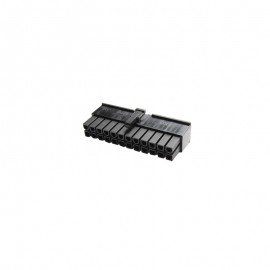

Details
The ModMyMods ATX / Mini-Fit Jr Pin Extractor Tool removes the terminals from ATX and Mini-Fit Jr connectors without damaging them, so you can re-pin, sleeve or rebuild power cables. It is made in Rochester, NY, USA, and is comparable to Molex part number 11-03-0044.
Properties
- Type
- Pin extractor tool
- For
- ATX and Mini-Fit Jr connectors
- Tip
- Double prong, straddles the terminal
- Handle
- Metal, engraved "ATX / Mini-Fit Jr" and "ModMyMods"
- Made in
- Rochester, NY, USA
- Pieces in the pack
- 1
For ATX and Mini-Fit Jr terminals
ATX motherboard, CPU and PCIe power connectors use Mini-Fit Jr style terminals that lock into the housing with small barbs. The two prongs of this tool slide in on both sides of the terminal and press the barbs in, so the terminal comes out undamaged and can go back into a connector.
Tool instructions
- Push the wire forward, toward the connector, before you use the extractor tool.
- Insert the tips of the tool so they straddle the pin you want to remove, while you keep pushing on the wire. You hear a click once the tool is fully inserted.
- Wiggle the tool gently back and forth and pull lightly on the wire to remove the pin.
- If the pin does not come loose, do not force it. Take the tool out and start again from step 1.
Compact metal tool
The steel tip is fixed to a flat metal handle that is engraved with the connector type on one side and the ModMyMods name on the other, so you always pick the right tool from the drawer. The tool is small and light enough to keep in any toolkit.
Part of the sleeving tool kit
This tool is also part of the ModMyMods Pin Extractor PC Sleeving Tool Kit with the Fan / JST / SL, ATX3.0 / 12VHPWR and dual ended Molex tools.
Technical data
| Part number | MOD-0318 |
| Type | Pin extractor tool |
| Connectors | ATX, Mini-Fit Jr |
| Comparable to | Molex 11-03-0044 |
| Made in | Rochester, NY, USA |
In the box
- 1x ModMyMods ATX / Mini-Fit Jr Pin Extractor Tool